
How to Plan Your January 2027 Social Media Content
Start 2027 strong with a January social media plan: themes, key dates, content ideas and a simple calendar you can follow all month.
Table of Contents
January is a fresh start for your audience and your brand. People are setting goals, planning budgets and looking for new ideas, which makes it a great month for helpful, motivating content.
1. Pick a theme for the month
Choose one theme that fits your business, such as “New year, new goals”, “Fresh start” or “Plan your year”. A theme makes content ideas easier and keeps your feed connected.
2. Mark key dates
- New Year greetings in the first days of the month
- Back-to-work week
- Any product launches, sales or events you are planning
- End-of-month recap
3. January content ideas
- Your year in review or lessons learned
- Goals for the year and how you will help customers
- Tips, checklists and planning advice
- New product or service announcements
- Customer stories and results
- Behind the scenes of planning the new year
4. Build your January calendar
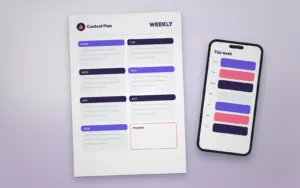
Decide how often you will post, then fill each slot with a content type and topic. A Monthly Social Media Planner makes it easy to see your whole month and balance educational, inspiring and promotional posts.
5. Prepare visuals in one batch
Design all your graphics in one or two sessions using templates. A Multi-Size Campaign Set gives you matching posts, stories and banners in one go.
6. Refresh your profile
The new year is a good time to update your bio, link and story highlights. New highlight icons make your profile look tidy and on brand.
7. Review at the end of January
Check which posts performed best and use those insights for February.
Templates for this article
View all


About the Author
Templateza TeamWe share practical tips, design guides and resources to help you create professional templates for business, print and digital use.