Running a small business means juggling numbers every day: what you earn, what you spend, what you are owed and what is sitting on the shelf. You do not need complex software to stay on top of it. A handful of well-built Excel templates can give you clear records, automatic totals and quick answers to the questions that matter.
Here are ten templates we recommend every small business keeps ready.
1. Business budget template
A budget template lists expected income and costs by month and compares them with actual results. Use it to plan ahead, spot overspending early and set realistic goals for the year.
2. Expense tracker
Record every purchase with a date, category, amount and receipt link. Category totals built with SUMIFS show where your money goes and keep your records ready for your accountant.
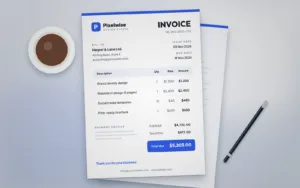
3. Invoice template
Professional invoices help you get paid on time. Include your logo, client details, an itemised table, tax and a clear due date. If you prefer a designed layout for your brand, our Professional Invoice Template pairs well with your Excel records.
4. Quotation and estimate template
Quotes set expectations before work starts. A consistent quote layout with line items, totals and a validity date makes approval easier. See the Quotation Template for a ready-made design.
5. Sales tracker
Log each sale with date, product, customer, quantity and amount. Add a monthly summary and a chart to see best sellers and slow months at a glance.
6. Inventory tracker
Track stock in, stock out and current quantity for each item, with a reorder level column that highlights low stock using conditional formatting.
7. Cash flow forecast
Cash flow is different from profit. A simple forecast shows opening balance, money in, money out and closing balance for each week or month, so you can see gaps before they happen.
8. Payroll summary
Keep a clear record of hours, rates, deductions and net pay for each team member. Always confirm calculations and legal requirements with a qualified payroll professional.
9. Timesheet template
Timesheets help freelancers and teams bill accurately and understand where time goes. Columns for date, project, task and hours are usually enough.
10. Customer list (simple CRM)
A customer sheet with contact details, last purchase, total spend and notes is a lightweight CRM that helps you follow up and reward loyal customers.
11. Tips for using Excel templates well
- Turn data ranges into Excel tables with Ctrl + T so formulas and formats expand automatically.
- Use drop-down lists for categories to keep totals accurate.
- Protect formula cells so nobody overwrites them by mistake.
- Back up files to cloud storage and keep one master version.
12. Pair your spreadsheets with professional documents
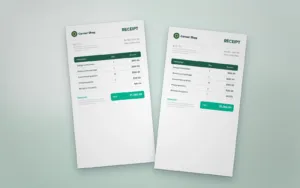
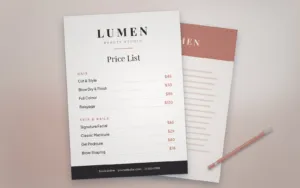
Spreadsheets keep your numbers organised, while designed documents make the right impression on clients. Explore our Business Documents templates for invoices, receipts, quotations and proposals that match your brand.