

How to Create a Professional Invoice Using Editable Templates
What to include on a professional invoice, how to customise an editable template with your brand, and tips to get paid faster.
Table of Contents
A clear, professional invoice helps you get paid on time and makes your business look trustworthy. With an editable template, you can create one in minutes and reuse it for every client.
1. What to include on every invoice
- Your business name, logo and contact details
- The word “Invoice” and a unique invoice number
- Issue date and due date
- Client name and billing address
- Itemised list of products or services with quantity, rate and amount
- Subtotal, tax and total due
- Payment methods and instructions
- Payment terms and any late payment notes
2. Customise your template
- Add your logo and brand colours.
- Update your business details once and save it as your master file.
- Set up a numbering system, for example INV-2027-001.
- Add your standard payment terms and bank or payment details.
Our Professional Invoice Template includes all of these sections in a clean layout.
3. Tips to get paid faster
- Send invoices as soon as work is delivered.
- Use clear due dates instead of vague terms.
- Offer more than one way to pay.
- Send a polite reminder a few days before and after the due date.
- Keep a log of sent and paid invoices.
4. Create a matching document set
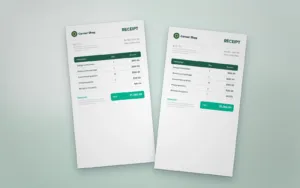
Use a matching Quotation Template before work starts and a Receipt Template once payment arrives. Consistent documents make your business look organised from first contact to final payment.
Tax and invoicing rules differ by location. Check local requirements with an accountant.
Templates for this article
View all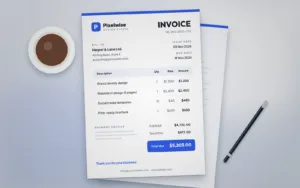


About the Author
Templateza TeamWe share practical tips, design guides and resources to help you create professional templates for business, print and digital use.