

Best Employee Attendance and Leave Tracker Templates
What a good attendance and leave tracker includes, the types small businesses use, and how to keep records accurate and fair.
Table of Contents
Keeping track of attendance and leave helps small businesses plan staffing, pay accurately and treat everyone fairly. A good template makes it quick and transparent.
1. What a good tracker includes
- Employee names and IDs
- Daily attendance codes, for example P for present, A for absent, L for leave, H for holiday
- Leave types such as annual, sick and unpaid
- Leave allowance, used and remaining balance
- Monthly and yearly summaries
2. Types of trackers
Daily attendance sheet
A simple grid of employees and dates for recording attendance each day.
Monthly attendance calendar
Shows a whole month at a glance with colour-coded statuses using conditional formatting.
Leave balance tracker
Uses COUNTIF to count leave days by type and subtract them from each person’s allowance.
Summary dashboard
Totals absences, leave taken and attendance rate by employee or team. For layout ideas, see our Full Dashboard Design.
3. Tips for accurate, fair tracking
- Use drop-down codes so everyone records data the same way.
- Record attendance daily, not from memory at month end.
- Share leave balances with employees regularly.
- Protect formulas and limit editing access.
- Follow local employment and data protection rules.
4. Plan leave ahead
Use a yearly and monthly planner to schedule busy periods and approved leave. The Complete Business Planner Set helps managers plan cover, and a simple checklist can standardise leave requests and approvals.
Templates for this article
View all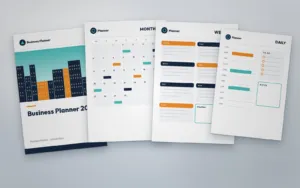


About the Author
Templateza TeamWe share practical tips, design guides and resources to help you create professional templates for business, print and digital use.