
Best Project Management Templates for Small Teams
The project management templates small teams actually use: project briefs, task trackers, timelines, meeting notes, checklists and status reports.
Table of Contents
Small teams need structure without bureaucracy. The right templates give everyone the same view of what is happening, who owns it and when it is due, without the cost and setup of complex tools.
1. Project brief
A one-page brief captures the goal, scope, deliverables, budget, deadline and owner. It prevents misunderstandings before work begins.
2. Task tracker
List every task with an owner, status and due date. Group by phase or person and colour-code status as To do, In progress or Done.
3. Timeline
A simple timeline or Gantt-style view shows how tasks overlap and where deadlines are tight.
4. Weekly plan
Each week, agree on the top priorities for the team. A weekly planner keeps them visible.
5. Meeting notes
Record decisions and action items with owners and dates. Share notes within an hour of the meeting.
6. Checklists
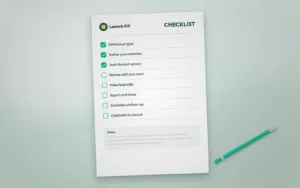
Turn repeated processes such as launches, reviews and handovers into checklists. A One-Page Checklist makes quality consistent.
7. Status report
A short weekly report covers progress, risks and next steps. Leaders get the update without extra meetings.
8. Project dashboard
A dashboard summarises progress, budget and key numbers in one view. Our Full Dashboard Design shows how to present this clearly.
9. Tips for small teams
- Keep one source of truth that everyone can access.
- Assign one owner to every task.
- Review the tracker together once a week.
- Archive finished projects to keep the view clean.
Explore more planners and productivity templates.
Templates for this article
View all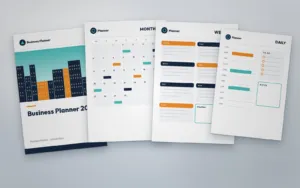

About the Author
Templateza TeamWe share practical tips, design guides and resources to help you create professional templates for business, print and digital use.